Generative AI for ad creatives: tools and strategies 2026
The best AI tools for creating ad creatives in 2026: Meta Advantage+ Creative, Google Asset Generation, Midjourney, AdCreative.ai, and practical workflows.
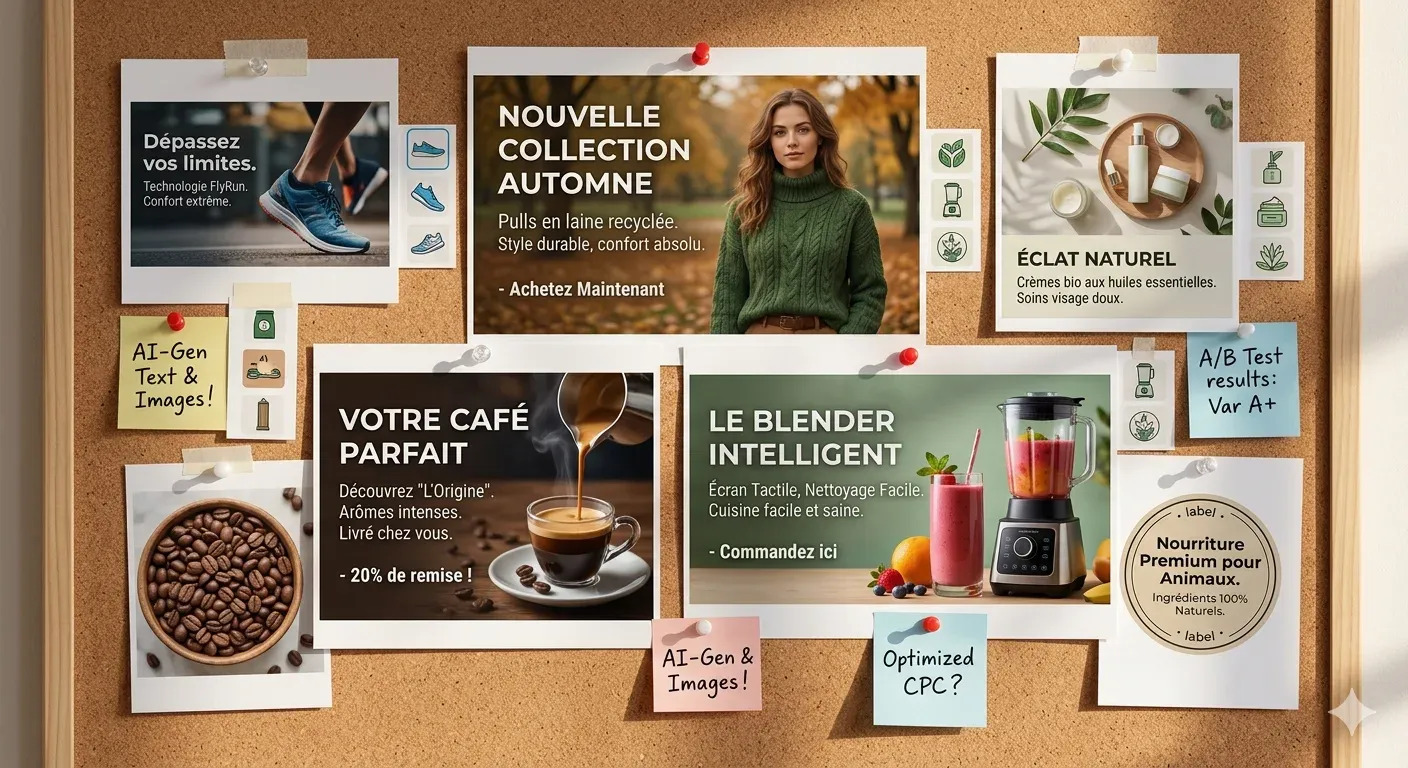
According to a Nielsen study cited by Meta for Business, creative quality accounts for 56% of the variance in a campaign’s ROAS — more than targeting and bidding combined. Generative AI has changed the production equation: it is now possible to generate 10 times more creative variants in the same amount of time. But volume without strategy produces noise, not results. If you want to understand first how automation is transforming digital advertising in general, read the guide on AI and automation in digital advertising.
Key Takeaways
- Creative quality accounts for 56% of ROAS variance, more than targeting or bidding (Meta for Business, citing Nielsen, 2024)
- Meta Advantage+ Creative reports an average +22% improvement in ROAS when automatic variant generation is enabled (Meta for Business, 2024)
- Native platform tools are free but limit brand control; third-party tools offer more control in exchange for additional cost
- The most common mistake is using AI to generate volume without a clear creative brief: the output is only as good as the strategy guiding it
- A 5-step AI + human review workflow allows sustainable creative production and testing
Contents
- How does generative AI work for ads?
- Native tools from advertising platforms
- Third-party tools for AI-powered creatives
- The workflow that actually works: AI + human review
- How to maintain brand consistency with generative AI
- Real limitations of AI for ad creatives
- What metrics to use when evaluating AI-generated creatives
- Frequently Asked Questions
- Sources
How does generative AI work for ads?
Generative AI for advertising operates across three distinct technology layers. Text-to-image models (Midjourney, DALL-E 3, Adobe Firefly) generate visuals from written instructions. Language models (ChatGPT, Claude) generate copy, headlines, and text variations. Combined platforms (AdCreative.ai) bring both together in an interface built for ad production. According to Statista, 42% of marketing teams were already using some form of generative AI tool in their creative production in 2024.
The most misunderstood point is the division of responsibilities. AI generates the assets: images, copy, variants. People define the strategy and evaluate the output. A poorly written brief produces generic ads even when the model is excellent. The tool amplifies the creative direction you give it, for better or worse.
A question worth asking: are you using AI to produce faster, or to think faster? The answer determines whether you gain a competitive edge or just generate more noise.
Native tools from advertising platforms
Advertising platforms integrate generative AI directly into their campaign management systems, at no additional cost to the advertiser. Meta for Business reports that Advantage+ Creative delivers an average +22% improvement in ROAS compared to creatives without automatic optimization. They are the fastest way to get started, though with significant limitations in terms of brand control.
Meta Advantage+ Creative
Advantage+ Creative works on your base creatives once you have uploaded them. It generates background variants, adjusts image brightness and contrast, creates different framing compositions, and tests copy variations of the text you have provided. Meta automatically serves the best-performing variant based on the audience and placement.
The advantages are clear: it is free, built into Ads Manager, and requires no external tools. The main limitation is that it operates on what you upload. It does not generate new product images or create creative concepts from scratch. If you upload a generic image, the variants will remain generic. To understand how Advantage+ fits into Meta’s overall AI system, the article on Andromeda, Meta Ads’ AI engine explains the full architecture.
Google Asset Generation in Performance Max
Google Asset Generation, available inside Performance Max, lets you generate images and text directly from the Google Ads interface. You describe the product and tone, and the system generates assets ready to use in PMax campaigns. According to the Google Ads Blog, this feature has been available in all markets since late 2024.
Its integration with the Google Merchant Center product feed is its strongest point. For ecommerce businesses with large catalogs, it allows generating custom assets by product category without manual work. Control over the final output is lower than with external tools, and visual consistency across assets can vary.
Third-party tools for AI-powered creatives
Beyond native platforms, there are specialized tools that give you more control over creative output in exchange for a monthly cost. The right choice depends on the type of content you produce, the size of your team, and your available budget. According to HubSpot State of Marketing (2024), 68% of marketers using AI tools for content reported time savings of more than 30% in creative production.
Comparison of leading tools
| Tool | Output type | Indicative price | Best for |
|---|---|---|---|
| AdCreative.ai | Complete ad creatives with logo and brand colors | From $21/month | High-volume rapid production |
| Midjourney | Photorealistic and artistic-style images | From $10/month | Product lifestyle images |
| DALL-E 3 (via ChatGPT Plus) | Images from text | $20/month (ChatGPT Plus) | Teams already using ChatGPT |
| Adobe Firefly | Images integrated into the Adobe suite | Included in Creative Cloud | Teams with a designer |
| Pencil | Video ad generation and performance prediction | From $149/month | DTC brands with a video budget |
| Canva Magic Studio | AI-powered image and text editing in Canva | From $15/month (Canva Pro) | Small teams without a designer |
| Runway ML | Video generation and editing | From $12/month | Short videos for Reels and TikTok |
In my experience using Midjourney for product lifestyle images with a cosmetics client, the cost per creative dropped 60% compared to traditional studio photography. Production time for a set of 20 images went from three weeks to two days. The work did not disappear — it shifted toward writing prompts, selecting the best variants, and making brand adjustments in Photoshop. AI did not eliminate human judgment; it concentrated it at a different point in the process.
AdCreative.ai is the most direct option if the goal is generating complete branded creatives. Upload the logo, define the color palette, and the system generates ads with all elements composed together. It works especially well for ecommerce businesses that need to produce creatives across multiple product categories with visual consistency.
Pencil adds a layer that other tools lack: performance prediction before publishing. The system analyzes the generated video and estimates the expected hook rate and CTR based on historical data from similar campaigns. For DTC brands with a video budget, that pre-validation layer can reduce wasted spend on creatives the algorithm already predicts will underperform.
The workflow that actually works: AI + human review
The most well-documented mistake in AI-powered creative production is confusing generation speed with output quality. HubSpot (2024) found that the teams achieving the best results with generative AI were those combining automation with structured human review, not those automating the most. A well-built brief at the start of the process multiplies the quality of everything that follows.
The pattern that repeats most often in accounts where generative AI fails is this: the team generates 50 variants without a brief, picks the ones that “look good,” and uploads them to campaigns. The problem is not the tool. It is that without a clear creative angle — target emotion, USP, objection to overcome — the model generates aesthetic variations of the same empty concept. More variants does not mean more creative diversity if all of them start from the same undefined input.
The workflow that works in practice has five clearly defined steps:
Step 1 - Creative brief (human). Define the emotional angle, the unique value proposition, and the main objection the ad must address. Without this step, everything that follows loses precision.
Step 2 - Variant generation (AI). Using the brief as input, generate 20-30 variants with the selected tools. The goal is quantity within a defined concept, not quantity without direction.
Step 3 - Filtering by brand criteria (human). Narrow the variants down to the 5-10 that best meet brand guidelines: color palette, visual tone, image restrictions. This step does not evaluate performance — only brand fit.
Step 4 - In-campaign testing with dynamic creative (platform AI). Upload the selected variants with Dynamic Creative enabled. The platform serves the combinations and collects real performance data.
Step 5 - Analysis of winning patterns and brief update (human). Once enough data is available (minimum 50 conversions per variant), analyze which angles, formats, and messages won. That information updates the brief for the next cycle.
How to maintain brand consistency with generative AI
74% of consumers expect a consistent brand experience across all touchpoints, including advertising. With generative AI, that consistency requires formalizing what was previously implicit: a written style guide prompt specifying color palette, lighting style, prohibited elements, and photographic treatment so each generation stays on-brand without manual correction. (Adobe)
Maintaining brand consistency with generative AI requires formalizing in writing what was previously implicit knowledge held by the creative team. According to Adobe, 74% of consumers expect a consistent brand experience across all touchpoints, including advertising. Without a structured prompt style guide system, each AI generation can pull visual identity in different directions.
How to build a “style guide prompt” for Midjourney and DALL-E
A style guide prompt is a reusable instruction you provide to the model before generating any image. It includes the non-negotiable visual elements: hexadecimal color palette, type of lighting (natural, studio, ambient), photographic style (lifestyle, flat lay, editorial), prohibited elements (pure white backgrounds, people with specific characteristics that do not represent the audience), and style references.
Example structure: [product description] - [usage context] - [visual style: lifestyle photography, natural lighting, earthy tones, square format] - [prohibited: overlaid text, studio backgrounds, artificial props]
Tools with an integrated brand kit
Canva Magic Studio lets you save your color palette, fonts, and logo as a brand kit, applying them automatically to each generation. It is the most practical option for small teams without an advanced prompting process. AdCreative.ai applies the brand kit in a similar way but across the complete ad creative format, including proportions and legal text.
To maintain voice consistency in texts generated with ChatGPT or Claude, the most effective solution is to use system prompts with examples of approved copy, a described brand tone, and vocabulary restrictions. This step is frequently overlooked, and it makes the biggest difference in the quality of generated text. For a deeper look at how to use ChatGPT specifically for Meta and Google ads, the guide on ChatGPT for Google and Meta Ads advertising covers this process in detail.
Real limitations of AI for ad creatives
Generative AI does not solve every creative production problem, and understanding its limitations is just as important as understanding its capabilities. The HubSpot State of Marketing 2024 report found that 39% of marketers using generative AI for creatives reported consistency or accuracy issues with the output that required significant manual correction.
Product accuracy. Image generation models struggle to represent a real product with precision. They generate plausible objects, not faithful reproductions. For ecommerce businesses where the product shown in the ad must match exactly what the user will see on the product page, AI output typically requires manual editing or specialized tools such as Adobe Firefly’s image retouching features, which work on top of a real photograph of the product.
Legal and compliance. AI models can generate images containing elements similar to registered logos, protected visual styles, or representations of people that could be interpreted as unauthorized endorsements. Legal review of AI-generated creatives is not optional in regulated categories: supplements, finance, health.
Platform policies. Meta and Google have policies on AI-generated content that are evolving rapidly. Meta has required disclosure of AI use in certain ad formats since 2025. Google applies similar restrictions to financial services and political ads. Checking updated policies before publishing avoids rejections and account penalties.
Emotional resonance. AI can generate creative volume, but it cannot predict which emotional angle will connect with a specific audience at a specific moment. That capability remains human. Performance prediction models like those in Pencil approximate predictions based on historical data, but they do not capture cultural or current-events context that affects how receptive an audience is to the ad.
Creative fatigue. The ease of generating volume can accelerate the onset of ad fatigue if the creative angles are not genuinely distinct. To manage creative fatigue systematically, the guide on ad fatigue and how to fix it covers the metrics and rotation strategies in more detail.
What metrics to use when evaluating AI-generated creatives
Hook rate — the percentage of people who watch at least 3 seconds of a video — is the most predictive early indicator of later video ad performance. A hook rate below 20–25% signals the first frame is not capturing enough attention. CTR by creative variant and ROAS per variant (after 50+ conversions) are the two metrics that connect creative output to real business results. (Meta for Business, 2024)
Evaluating the performance of AI-generated creatives uses the same metrics as any creative, but with a greater emphasis on early engagement metrics that allow you to discard variants without spending the full budget. According to Meta for Business, hook rate (the percentage of people who watch at least 3 seconds of a video out of total impressions) is the most predictive indicator of later performance in video format.
Hook rate. For video, measures 3-second views divided by total impressions. A hook rate below 20%-25% indicates the first frame is not capturing enough attention to justify continuing to serve that variant. It is the fastest metric for eliminating creatives without conversion data.
CTR by creative. CTR broken down by creative variant — not the aggregated ad set CTR — is the data that lets you compare which angles are working. A CTR above 1%-2% in cold audiences signals initial relevance. Compare AI-generated variants against the historical baseline of manual creatives for the same client.
ROAS by variant. Once enough conversions have accumulated (minimum 50 per variant), ROAS per creative is the definitive metric. It is the only one that connects creative performance to business outcome. Creative analytics tools like Motion or MadgicX make this breakdown straightforward without manual exports.
Frequency decay. Monitor at what frequency point the CTR of each creative begins to decline. AI-generated creatives with more generic angles tend to have a faster decay curve. That data informs when to rotate and which types of angles have greater longevity.
Frequently Asked Questions
Do AI-generated creatives perform worse than human-made ones?
Not necessarily. Performance depends on the quality of the creative brief, not on whether the asset was generated by a human or an AI. According to Meta for Business (2024), campaigns using Advantage+ Creative, which uses AI to generate variants, report an average +22% ROAS improvement. AI accelerates production; strategy determines quality.
Do Meta and Google allow using AI to create ads?
Yes, both platforms allow and actively promote the use of AI in ad creation. Meta has its own generative AI tools built into Ads Manager. Google offers Asset Generation in Performance Max. Since 2025, Meta has required disclosure of AI use in ads that address sensitive political or social topics. Policies for other formats continue to evolve, and it is worth verifying them before publishing.
How much does AdCreative.ai cost vs Midjourney?
AdCreative.ai has plans starting at $21/month for up to 10 active creatives, with more complete plans from $141/month. Midjourney costs from $10/month for basic use and $30/month for professional use with higher generation capacity. They are complementary tools: AdCreative.ai generates complete ad creatives; Midjourney generates high-quality images that are then composed manually. Many teams use both.
Can AI generate videos for TikTok and Reels?
Yes. Runway ML generates short videos from text or images, with plans from $12/month. Pencil generates ad videos and estimates their performance before publishing. For Reels and TikTok, the vertical 9:16 format is well supported in both tools. The main limitation is duration: current models perform better on videos of 6-15 seconds than on longer formats.
How do you stop AI ads from looking generic?
The antidote to generic creatives is a specific brief. The more concrete the angle — target emotion, specific objection to address, exact profile of the person the ad is for — the more specific the output will be. Using real product images as visual references in Midjourney or DALL-E prompts anchors the generation to authentic brand elements. Genericness is usually an input problem, not a tool problem.
Sources
- Meta for Business - How Creative Quality Impacts Ad Performance (Nielsen citation)
- Meta for Business - Advantage+ Creative documentation
- Google Ads Blog - AI announcements and Asset Generation
- HubSpot State of Marketing 2024
- Statista - AI adoption in marketing 2024
- AdCreative.ai - Pricing and documentation
- Midjourney - Documentation and pricing
- Pencil - AI video ad generation
- Runway ML - Video generation documentation
- Adobe - Generative AI and brand consistency
- Contents
- How does generative AI work for ads?
- Native tools from advertising platforms
- Meta Advantage+ Creative
- Google Asset Generation in Performance Max
- Third-party tools for AI-powered creatives
- Comparison of leading tools
- The workflow that actually works: AI + human review
- How to maintain brand consistency with generative AI
- How to build a “style guide prompt” for Midjourney and DALL-E
- Tools with an integrated brand kit
- Real limitations of AI for ad creatives
- What metrics to use when evaluating AI-generated creatives
- Frequently Asked Questions
- Do AI-generated creatives perform worse than human-made ones?
- Do Meta and Google allow using AI to create ads?
- How much does AdCreative.ai cost vs Midjourney?
- Can AI generate videos for TikTok and Reels?
- How do you stop AI ads from looking generic?
- Sources

Could your ad campaigns
perform better?
30 minutes to review your situation and tell you exactly what I would change. No pitch, no sales proposal.