Smart Bidding Google Ads: When It Works and When It Fails
Smart Bidding is only reliable with 150+ conversions/month. Discover the 4 minimum requirements, 5 failure signals, and when manual bidding wins.
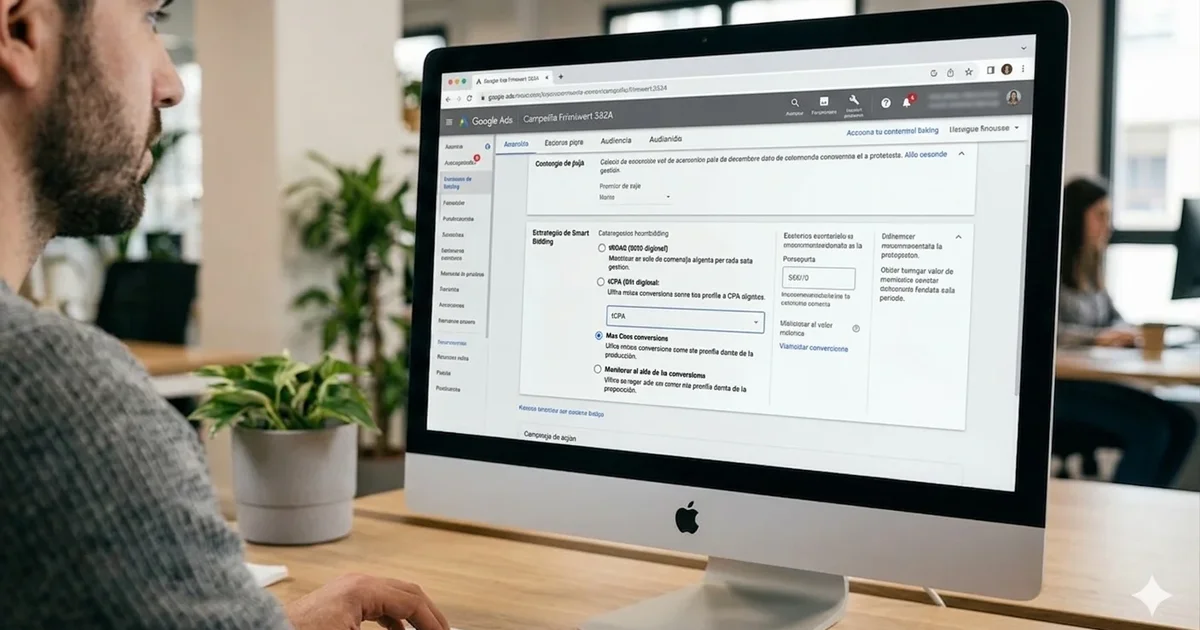
Google has been telling you to enable Smart Bidding for years. Agency guides say the same thing. The Google Ads interface itself suggests you “improve” your account by switching to an automated strategy. And in theory, they’re right: Smart Bidding works.
The problem is that it only works when very specific conditions are in place. Outside those conditions, the algorithm doesn’t fail loudly — it doesn’t throw an error, stop the campaign, or warn you about anything. It simply restricts bids, reduces impressions, and the account quietly dies while you’re looking for the problem somewhere else.
This guide explains when Smart Bidding actually works, when it’s costing you money without you knowing it, and the specific situations where manual bidding is still the right choice.
Key Takeaways
- tROAS needs 150+ conversions/month to be reliable — not the 30–50 Google recommends (Smarter Ecommerce, 2024, 14,000+ campaigns).
- Most common mistake: tROAS set above your actual ROAS → impression share collapses, account goes silent.
- Manual bidding wins in 4 specific cases: brand campaigns, new accounts, urgent clearance sales, and broken tracking.
- Smart Bidding Exploration (2025): +19% conversions, but only with solid history and calibrated targets.
- What Is Smart Bidding and How Does It Differ from Manual Bidding
- When Does Smart Bidding Work? The 4 Minimum Requirements
- When Does Smart Bidding Cost You Money? The 5 Warning Signals
- When Should You Use Manual Bidding Instead of Smart Bidding?
- How to Transition to Smart Bidding Without Losing Data
- What Is Smart Bidding Exploration and Why Does Nobody Explain It?
- Smart Bidding in Performance Max and Standard Shopping: What Changes
- Frequently Asked Questions
What Is Smart Bidding and How Does It Differ from Manual Bidding
Smart Bidding is Google’s automated bidding system that adjusts every bid at the exact moment of the auction, using machine learning signals — device, location, time of day, user history, search query, audience type, and more. Manual bidding doesn’t process any of these signals. You set a maximum CPC and Google applies it equally across all auctions, with no adjustments.
According to Google, the system processes more than 70 million signals per auction in real time (Google Ads Help Center, 2024). No human campaign manager can do that manually. That’s the real advantage of the system — not that it’s smarter than you, but that it operates at a speed and scale you simply can’t match.
The four Smart Bidding strategies are:
- tCPA (Target CPA): the algorithm tries to get conversions at the cost per acquisition you define.
- tROAS (Target ROAS): optimizes to maximize conversion value while maintaining a target return on ad spend.
- Maximize Conversions: gets as many conversions as possible within your budget, with no fixed cost target.
- Maximize Conversion Value: maximizes total conversion value with no minimum profitability constraint.
There’s a fifth option, Maximize Clicks, which is NOT Smart Bidding — it’s an automated bidding strategy without conversion signals. Useful for new campaigns without data; not as a permanent strategy.
| Strategy | Min. Conversions | When to Use | Main Risk |
|---|---|---|---|
| Maximize Clicks | 0 | New campaigns without history | Unqualified traffic |
| Maximize Conversions | 0 (recommended: 30+) | First learning phase | High spend without cost control |
| tCPA (Target CPA) | 30/month | Accounts with history and fixed cost target | Paralysis if tCPA is too low |
| tROAS (Target ROAS) | 50/month (reliable: 150+) | Ecommerce with enough data and defined margin | Collapsed impression share if target is too high |
| Maximize Conversion Value | 0 (recommended: 30+) | Scaling during high-demand periods | No minimum profitability floor |
The question isn’t whether Smart Bidding is better than manual bidding in the abstract. It’s whether your account has the conditions to make it work. If the Quality Score of your Search campaigns is in poor shape, Smart Bidding amplifies that problem — it doesn’t fix it.
When Does Smart Bidding Work? The 4 Minimum Requirements
Smart Bidding works when four conditions exist simultaneously. If even one is missing, results are unpredictable — not necessarily bad, but outside your control.
Requirement 1 — Conversion volume. Google recommends a minimum of 30 conversions/month for tCPA and 50/month for tROAS (Google Ads Help Center, 2024). But that threshold is the entry point, not where the system actually performs well. A Smarter Ecommerce analysis of more than 14,000 active campaigns reveals the full gradient: below 30/month results are inconsistent; between 60 and 90/month tROAS works about half the time; only above 150 conversions/month does the ROAS target get hit reliably. The 30-conversion mark is where Smart Bidding starts — not where it works well.
Requirement 2 — Clean tracking. Tracking must measure the right action: the purchase, with real revenue value. Not a contact form. Not a phone call. Not a visit to the confirmation page. If your account records purchases, leads, and calls as equivalent conversions, the algorithm optimizes toward the easiest to achieve — which is almost never the purchase.
Requirement 3 — Adequate budget. Your daily budget should be at least 10× your tCPA target to give the algorithm room to explore. A budget of $15/day with a $12 tCPA leaves fewer than two daily conversions of margin — the system can’t explore the auction space effectively. In practice, accounts in prolonged learning phases typically experience a cost per acquisition 30–50% higher than usual before stabilizing — something I confirm in most audits where the budget is set right at the tCPA limit.
Requirement 4 — Conversion latency under 7 days. If your customer takes two weeks to buy after clicking (common in high-ticket ecommerce or B2B), Smart Bidding can’t close the attribution loop in time to adjust bids. The algorithm makes decisions at the moment of the auction; if the conversion signal arrives 15 days later, it’s already bid on thousands more auctions without that information.
When Does Smart Bidding Cost You Money? The 5 Warning Signals
Smart Bidding fails silently. It doesn’t throw errors or stop the campaign. It simply restricts bids, impressions drop, and the account manager interprets it as low season, increased competition, or declining product interest. These are the signals that indicate something different is happening.
Signal 1 — tROAS set too high. If your tROAS is 30% above your actual historical ROAS, the algorithm calculates that almost no auction will meet the target and stops bidding. Impression share tanks. You can see it directly: if your tROAS is 800% and your actual ROAS over the last 30 days was 500%, the system understands that almost no user will convert at the level you’re asking and withdraws from auctions.
Signal 2 — Permanent learning phase. The learning phase should last between 7 and 14 days. If you’ve been in learning for three weeks, the algorithm isn’t receiving enough conversion signals. The budget is too low, conversions are too few, or both.
Signal 3 — Mixed conversion tracking. You’re counting purchases, leads, and phone calls as equivalent conversions. The algorithm optimizes toward the easiest to achieve — contact forms — and ignores purchases. CPA looks low in the dashboard because you’re paying for leads, not sales. In practice, this is the most common reason Smart Bidding “works on paper but not in the P&L.”
Signal 4 — Frequent changes. Every significant change resets the learning phase: tROAS adjustments above 20%, budget changes above 20%, new ad groups, relevant new creatives. If you make changes every week, the algorithm never completes learning. The account lives in permanent learning.
Signal 5 — Fragmented campaigns. You have 12 campaigns with 4 conversions/month each instead of 3 campaigns with 16. None reaches the minimum threshold. Performance looks mediocre across all of them — but the problem isn’t the bidding strategy, it’s the account architecture. Consolidation turns weak signals into useful ones. A case study documented by Seer Interactive showed that restructuring and consolidating campaigns reduced spend by 26%, lowered CPA by 23%, and increased CTR by 42% without losing conversion volume (Seer Interactive).
What I see in audits: The combination of tROAS set too high + mixed conversion tracking appears in more than half the accounts I review. Fixing those two things before touching any other parameter typically doubles impression share in under two weeks. You don’t need to change the strategy — you need to calibrate it.
When Should You Use Manual Bidding Instead of Smart Bidding?
There are four specific situations where manual CPC bidding outperforms Smart Bidding, and experienced managers use both in parallel depending on the case. Manual bidding isn’t obsolete — it’s still the right choice when the algorithm doesn’t have the context it needs.
Situation 1 — Brand campaigns. Brand searches convert 2–5× more than non-branded searches (Google Ads benchmark data, 2024). Smart Bidding interprets that high conversion rate as a signal of high future profitability and bids aggressively — paying more for clicks that would have converted at a much lower cost. An AdShark analysis of real brand campaigns recorded a 62% reduction in average CPC when switching from automated to manual CPC, with average savings of $1,500/month (AdShark, 2024). For the hybrid strategy with Standard Shopping and manual CPC for brand, this principle is central.
Situation 2 — New campaigns without history. The first 4–6 weeks of a new campaign don’t have enough signals for Smart Bidding. Start with Maximize Clicks to accumulate data, then transition.
Situation 3 — Urgent clearance sale. You need to move stock in 5 days. Smart Bidding’s learning cycle is too slow for that. Manual CPC with aggressive bids acts immediately.
Situation 4 — Broken or in-repair tracking. Never run Smart Bidding on broken tracking. The algorithm will optimize toward whatever it can measure, which in that case is the wrong signal. Switch to manual while you fix tracking; once clean, transition back.
The right approach isn’t choosing between automatic or manual — it’s knowing when each has the advantage. Performance Max uses Smart Bidding internally and doesn’t give you the option to disable it; Standard Shopping does give you that choice.
How to Transition to Smart Bidding Without Losing Data
The transition must be gradual and data-driven, not a switch you flip all at once. The most common mistake is going directly from manual CPC to tROAS on the same day. The algorithm arrives at a campaign it doesn’t know, with a profitability target it can’t yet validate, and freezes bids while learning.
Step 1 — Verify tracking measures the right thing. Purchase as a purchase event with real revenue value. Not as a generic conversion goal. This comes first, not last.
Step 2 — Accumulate 30+ conversions with your current setup. Don’t change bidding strategy while you don’t have that minimum history. Improve ads, keywords, and Quality Score before touching bids.
Step 3 — Start with Maximize Conversions without a target. No tROAS, no tCPA. At least two weeks. According to Google, the algorithm needs up to 50 conversion events to complete learning (Google Ads Help Center, 2024) — that threshold is what separates real learning from an interrupted one. Let the algorithm learn your account’s conversion pattern without restrictions.
Step 4 — Add the target only after learning. Once the learning phase is complete, set your tROAS equal to your actual ROAS over the last 30 days — not the ROAS you’d like to have. If your actual ROAS is 350%, start at 350%. Not 600%.
Step 5 — Adjust gradually. Maximum 10–15% variation in tROAS at a time. Wait two weeks between adjustments. Any change above 20% resets the learning phase according to Google’s official Smart Bidding guide.
What Is Smart Bidding Exploration and Why Does Nobody Explain It?
In 2025, Google introduced Smart Bidding Exploration — a mode that deliberately expands the algorithm’s search reach at a short-term efficiency cost, with the goal of discovering new conversion segments the standard algorithm was ignoring.
According to data from Google (2025), campaigns that activated Smart Bidding Exploration recorded 19% more conversions and explored 18% more unique query categories compared to standard Smart Bidding. The mechanism is different from conventional strategies: the algorithm temporarily accepts higher CPAs in unfamiliar search territory in exchange for discovering new converting segments.
Who is Smart Bidding Exploration for? Accounts with an already calibrated and stable tROAS that have hit a growth ceiling — where the algorithm has “learned everything” in its comfort zone and conversion volume has plateaued. If your account has had the same level of conversions for three months despite maintaining budget and target, Exploration can open new segments.
Who is it NOT for? Accounts in a learning phase, accounts with fewer than 60 conversions/month, or accounts with a tight budget. The temporary cost of exploration can erode short-term performance in accounts without room to absorb it.
Where to find it: It’s a campaign-level setting, not a new strategy. It’s not enabled by default. And most importantly: it’s the automated bidding feature least discussed in English — which makes it a real advantage for whoever understands and applies it before the competition does.
Smart Bidding in Performance Max and Standard Shopping: What Changes
78.2% of active Performance Max campaigns use tROAS as their strategy, and 84% of them hit or exceed their ROAS target (Smarter Ecommerce, 2024). But those numbers correspond to accounts with solid history — not those that just launched PMax. The distinction matters: PMax uses Smart Bidding internally and you can’t separate them, which means the conversion volume conditions apply just as much as in any other automated strategy.
Standard Shopping is the only format where you have full control over bidding strategy: manual CPC, Maximize Clicks, tROAS, or Maximize Conversion Value. That flexibility matters in practice: an analysis of 4,000+ campaigns by Smarter Ecommerce shows Standard Shopping records a median conversion rate of 2.22% vs 1.98% for PMax with Maximize Conversions (Smarter Ecommerce, 2025). The difference isn’t huge, but it justifies keeping both campaigns in the hybrid structure.
Two practical rules for Shopping and Smart Bidding:
- Don’t set tROAS on PMax from launch. Start with Maximize Conversion Value without a restriction for at least 4–6 weeks. Once the algorithm has learned your conversion pattern, add the tROAS calibrated with real data.
- Use Standard Shopping with manual CPC for brand and high-margin products. Leave PMax for the general catalog and reaching new segments. This division of roles — PMax for scale, Standard Shopping for control — is the structure that works best for medium and large catalogs.
Frequently Asked Questions
How many conversions do I need to activate tROAS in Google Ads?
Google recommends a minimum of 50 conversions/month for Target ROAS and 30/month for Target CPA (Google Ads Help Center, 2024). However, the Smarter Ecommerce analysis of 14,000+ campaigns indicates that real tROAS reliability doesn’t appear until 150+ conversions/month. Below 60/month, use Maximize Conversions without a target until you cross that threshold.
How long does the Smart Bidding learning phase last?
Typically between 7 and 14 days for standard campaigns. It resets completely every time you make a significant change: tROAS adjustment above 20%, budget change above 20%, adding new ad groups, or changing relevant creatives. If you need to make several changes, group them at the same time to trigger only one reset instead of several.
Does Smart Bidding work with a small budget?
It’s complicated. Your daily budget should be at least 10× your tCPA target so the algorithm has enough daily auctions to learn. With a budget of $15/day and a $12 tCPA, the system has fewer than two daily conversions of margin. In those conditions, Maximize Clicks or Manual CPC is more predictable than Smart Bidding.
Can I use Smart Bidding if I just launched my account?
Not as an initial strategy. Spend the first 4–6 weeks on Maximize Clicks to accumulate conversion data. Once you have 30+ conversions, move to Maximize Conversions without a cost target. Only add tROAS or tCPA once the algorithm has completed a clean learning phase with that data volume.
Conclusion
Smart Bidding isn’t an automatic improvement switch. It’s a multiplier — it amplifies the quality of your tracking and the strength of your conversion data. If that data is good, Smart Bidding can do work no manager can replicate manually at that scale. If that data is bad, the algorithm will optimize with precision toward the wrong outcome.
The key points:
- The real minimum for tROAS isn’t 30 conversions — it’s 150+ for reliable results
- The most expensive mistake: tROAS set above your actual historical ROAS
- Manual bidding is still the right choice for brand campaigns, new accounts, clearance sales, and broken tracking
- Smart Bidding Exploration (2025) opens new segments for accounts with solid history — and hardly anyone is using it yet
If you’re not sure whether your current setup meets these conditions, the first step is a tracking audit, not a bidding strategy review. If you’d like me to look at your account, request your free audit here.
Need help with your Google Ads campaigns? I’m a freelance Google Ads consultant — Google Partner, CXL Certified, direct management with no intermediaries. No commitment, I respond within 24h.
Related articles:
- 13 Ways to Improve Your Google Ads CTR
- Google Analytics Audit: 45 Steps
- AI Automation in Digital Advertising
Sources
- Google Ads Help Center — Smart Bidding
- Google Ads Help Center — Smart Bidding Requirements
- Smarter Ecommerce — Target ROAS in 14,000+ PMax retail campaigns
- Smarter Ecommerce — State of Performance Max 2025
- AdShark — Lower CPCs on Branded Campaigns
- Seer Interactive — The Power of Campaign Consolidation
- Google Blog — Smart Bidding Exploration
- What Is Smart Bidding and How Does It Differ from Manual Bidding
- When Does Smart Bidding Work? The 4 Minimum Requirements
- When Does Smart Bidding Cost You Money? The 5 Warning Signals
- When Should You Use Manual Bidding Instead of Smart Bidding?
- How to Transition to Smart Bidding Without Losing Data
- What Is Smart Bidding Exploration and Why Does Nobody Explain It?
- Smart Bidding in Performance Max and Standard Shopping: What Changes
- Frequently Asked Questions
- How many conversions do I need to activate tROAS in Google Ads?
- How long does the Smart Bidding learning phase last?
- Does Smart Bidding work with a small budget?
- Can I use Smart Bidding if I just launched my account?
- Conclusion

Could your ad campaigns
perform better?
30 minutes to review your situation and tell you exactly what I would change. No pitch, no sales proposal.